
You've probably chatted with a few of these. The little bubble in the corner. You type a question. It either answers you or loops you into a dead end. “I didn't understand that. Would you like to speak to a human?”
That experience is why most business owners dismiss chatbots. Bad implementation gets remembered. But the businesses with chatbots that actually work — that answer real questions, qualify leads, and book appointments while the owner sleeps — are using the same underlying technology. They just trained it differently.
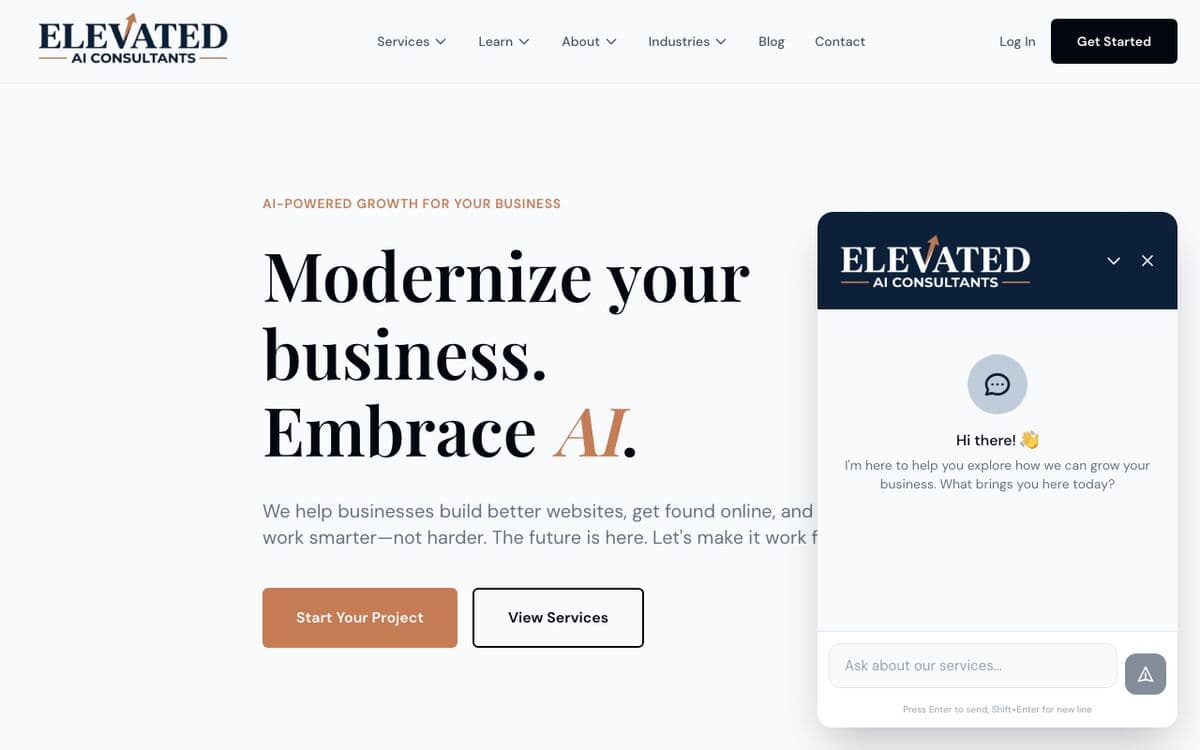
We built our own AI chatbot for elevatedaiconsulting.com from scratch, with a full retrieval-augmented generation (RAG) system that actually knows our business. We'll cover what that involved. But we'll also cover the no-code options, because most businesses don't need a custom build to get real value.
Why Add a Chatbot Now?
The numbers have caught up to the hype. According to 2026 chatbot industry data:
- 49% of all website customer interactions are now handled by chatbots
- 62% of consumers prefer chatting with a bot over waiting for a human
- 58% of businesses using chatbots report increased sales
- Chatbot-powered funnels convert 2.4x more customers than static web forms
- 70%+ of people expect instant messaging support on websites and apps
The cost argument is even cleaner. The average chatbot interaction costs $0.50. The average human support interaction costs $6.00. That's a 12x difference — and the chatbot is available at 3 AM when a potential client has a question.
For lead generation specifically, the math gets compelling fast. We wrote about this in our guide on the cost of slow lead response — the first business to respond wins the job most of the time. A chatbot responds instantly, every time, regardless of when someone visits your site.
The question isn't whether chatbots are worth having. It's which one is right for your business.
Three Tiers: Free, Mid-Range, and Custom
There's a big difference between a chat widget that answers a few FAQs and a full AI chatbot trained on your entire business. Here's how we break it down:
Tier 1: Free or Near-Free Widget ($0–50/month)
Tools like Tidio, Crisp, and Elfsight offer free plans that let you put a live chat widget on your site. Some include basic AI that can answer simple questions. Great for businesses that just want to capture leads or offer a quick FAQ interface.
Best for: Small businesses that want something running in an afternoon. Zero technical work required. The trade-off: the AI is limited to what you manually program in. It won't “know” your business deeply.
Tier 2: AI-Powered SaaS ($50–300/month)
Tools like Chatbase, Intercom Fin, and Drift let you connect your website, documents, or help center so the AI can answer questions grounded in your actual content. These are more powerful than a widget — the AI actually reads your material — but you're constrained by what the platform allows.
Best for: Most small and mid-size businesses. You get real AI without needing a developer. Costs stay predictable. The trade-off is less customization on lead capture flows and CRM integrations.
Tier 3: Custom AI Chatbot (Development + ~$50–100/month in API fees)
Build your own RAG system: the chatbot searches your indexed content using vector embeddings to find the most relevant information, then answers using a language model. Full control over training data, conversation design, lead capture triggers, and integrations.
Best for: Businesses with complex service offerings, specific lead qualification flows, or tight integration needs with a CRM or database. This is what we built — we'll show you exactly what it involved.
No-Code Chatbots Under $100/Month
If you're not ready to commit to a custom build, these tools will get you 80% of the way there without writing a single line of code:
Chatbase
Chatbase lets you upload PDFs, connect your website URL, or paste in text — and it builds an AI chatbot that answers questions from that content. Free plan available. Paid plans start around $19/month. You can embed it on your site with a single code snippet. If you have a service page, FAQ, or pricing doc, Chatbase can start answering questions from it immediately.
Tidio
Tidio combines live chat, AI chatbot, and email marketing in one. The free plan includes up to 50 conversations per month and basic AI flows. Their Lyro AI (the more advanced tier) handles questions from your help content automatically. Good option if you also want a human fallback when needed.
Intercom Fin
Intercom Fin is one of the more impressive no-code AI agents available right now. Powered by GPT-4, it connects to your knowledge base and resolves support conversations autonomously. Pricing is $0.99 per resolved conversation — more expensive per interaction than the others, but the resolution rate is high enough that many businesses find it cheaper than human support at volume.
Crisp
Crisp has a solid free tier for live chat and a clean interface. Their AI features (MagicReply) are add-ons on paid plans. If budget is the primary constraint and you want something live today, Crisp's free plan is hard to beat as a starting point.
The honest verdict on all of these: they work well for answering questions from your existing content. Where they struggle is complex lead qualification flows, deeply customized conversation designs, and tight integrations with your own database or CRM.
What We Built: Our Actual Stack
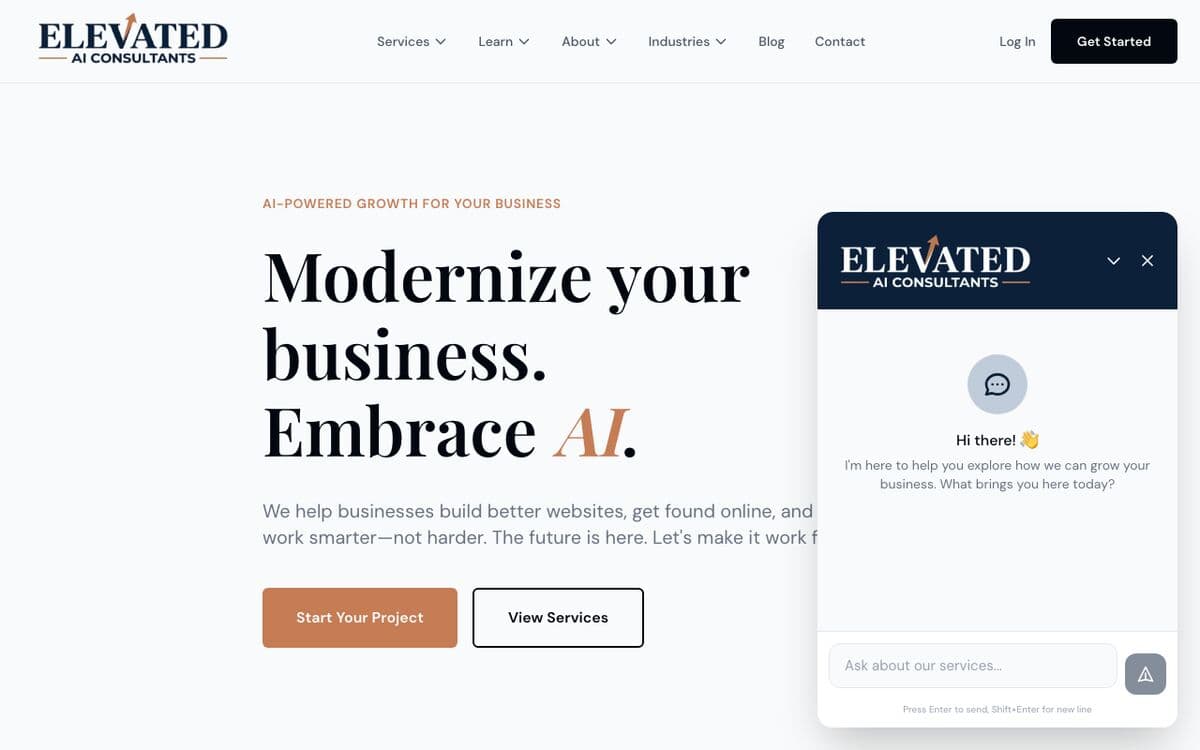
We mentioned recently that we built our entire site with Claude Code — blog, AI chatbot, Stripe checkout, newsletter, admin dashboard. The chatbot in the corner of this site is a full custom RAG system. Here's exactly what we built and why:
The Stack
- Language model: OpenAI GPT-4o-mini — fast, cost-effective, good enough for customer queries. Full streaming via Server-Sent Events so responses feel instant.
- Embeddings: OpenAI text-embedding-3-small — converts our content into vector representations for semantic search.
- Vector database: Supabase with pgvector — stores indexed chunks of our content alongside their embeddings.
- RAG retrieval: When someone asks a question, we embed the query, run a similarity search across our content chunks, and pull the 5 most relevant pieces. Those go into the system prompt as context.
- API: Next.js API route with streaming output and rate limiting (20 messages/minute per IP, 100/hour per session).
- Lead capture: After 3+ meaningful exchanges, or when business intent keywords are detected, a lead form appears. All submissions go directly to our database.
Why We Went Custom
Two reasons. First, we wanted the chatbot trained specifically on our business — our services, our pricing ranges, our process, our success stories. No-code tools can do this, but we wanted more control over how the AI responds when someone asks “how much does a website cost?” or “can you help with AI integration for a healthcare practice?”
Second, we wanted tight integration with our lead pipeline. The chatbot saves full conversation history, captures leads directly to our CRM, and has custom logic for qualifying different types of prospects. That's hard to do cleanly with a third-party widget.
The monthly running cost? Under $100, mostly in OpenAI API fees. The development investment was significant. For businesses that don't need that level of control, a mid-tier SaaS tool is the smarter starting point.
Why Chatbots Fail (And How to Avoid It)
Most chatbots that frustrate people aren't bad because of the technology. They're bad because of how they were set up. Here's what kills chatbot implementations:
Generic training data
A chatbot trained on “common FAQ templates” gives generic answers. A chatbot trained on your specific service descriptions, your actual pricing, your real process — that one is useful. The difference in quality is enormous. If you use Chatbase or a similar tool, put effort into the content you feed it. Upload your service page, FAQ, pricing guide, and a few example conversations. Don't just point it at your homepage and call it done.
No escalation path
Visitors who reach a dead end and can't get to a human will leave. Make sure your chatbot has a clear fallback — a handoff to live chat, a calendar booking link, or a contact form. The goal of a chatbot isn't to replace human contact; it's to handle the easy stuff so humans can focus on conversations that actually close.
No follow-up on lead captures
A chatbot that collects a lead and then lets it sit for three days has done nothing useful. Make sure your lead capture connects to whatever CRM or notification system you actually check. Speed of follow-up still matters after the chatbot does its job.
Treating it as a set-and-forget tool
Your best chatbot data is your chatbot conversations. Review them monthly. Find the questions people are asking that the bot can't answer well, then add that content to your training data. The best chatbot implementations improve over time because someone is paying attention.
How to Pick the Right Option for Your Business
Here's the framework we use when a client asks us about adding a chatbot:
- Do you have complex service offerings or custom pricing? If your answer to pricing is always “it depends,” or your services vary significantly by client — a well-trained SaaS tool or custom build. If you have a clear pricing page and straightforward FAQs — start with Chatbase or Tidio.
- How much lead qualification do you need? If you just need to capture name and email, any tool works. If you need to qualify industry, budget, timeline, and service type before passing a lead to your team — you'll want more control than a widget gives you.
- Do you have an existing CRM or booking system to connect to? If yes, check whether the tool integrates with it before committing. Most no-code tools offer Zapier connections that cover the basics.
- How much traffic does your site get? Low-traffic sites (under 1,000 visitors/month) probably don't need a $200/month chatbot. Start free, validate the value, then upgrade.
We've helped businesses across industries add AI to their operations, and the chatbot conversation almost always starts the same way: start simple, measure what questions come in, improve from there. The businesses that over-engineer from day one spend weeks building something nobody uses.
Start with the tool that gets you live in a day. You can always migrate to a more sophisticated setup once you know it's worth the investment.
If you want help figuring out which approach fits your business — or if you want us to build something like ours — get in touch. We'll tell you honestly whether you need a custom build or whether a $20/month tool will do the job.

Elevated AI Consulting
Sam Irizarry is the founder of Elevated AI Consulting, helping businesses grow through strategic marketing and AI-powered solutions. With 12+ years of experience, Sam specializes in local SEO, web design, AI integration, and marketing strategy.
Learn more about us →